Every few weeks, a new quiz takes over group chats and timelines. Someone posts a score, someone else replies with a screaming face, and within an hour half your friends are comparing numbers. The quiz itself takes five minutes. The sharing is what makes it stick.
And the sharing almost always runs on emojis. A single 😳 can say “I can’t believe that was my score” faster than a whole sentence. This guide covers how to turn any quiz result into a post people actually react to, with scorecards, reaction emojis and caption ideas you can copy and paste.
Why Quiz Results and Emojis Go Together
A quiz result is a tiny story: a number, a label, and a feeling about it. Emojis are built to carry the feeling. Text can give the number, but an emoji tells your friends whether to congratulate you, tease you or ask what happened.
That is why score-based quizzes spread so well. The classic example is the Rice Purity Test, a 100-question self-rating quiz that college students and friend groups have been comparing for decades. The score out of 100 is easy to post, easy to compare and easy to react to, which is exactly the format emojis were made for.
Step 1: Build an Emoji Scorecard
A scorecard turns a bare number into something visual. Here are a few formats that work well.
The progress bar. Fill ten squares to match your score out of 100. A result of 70 looks like this:
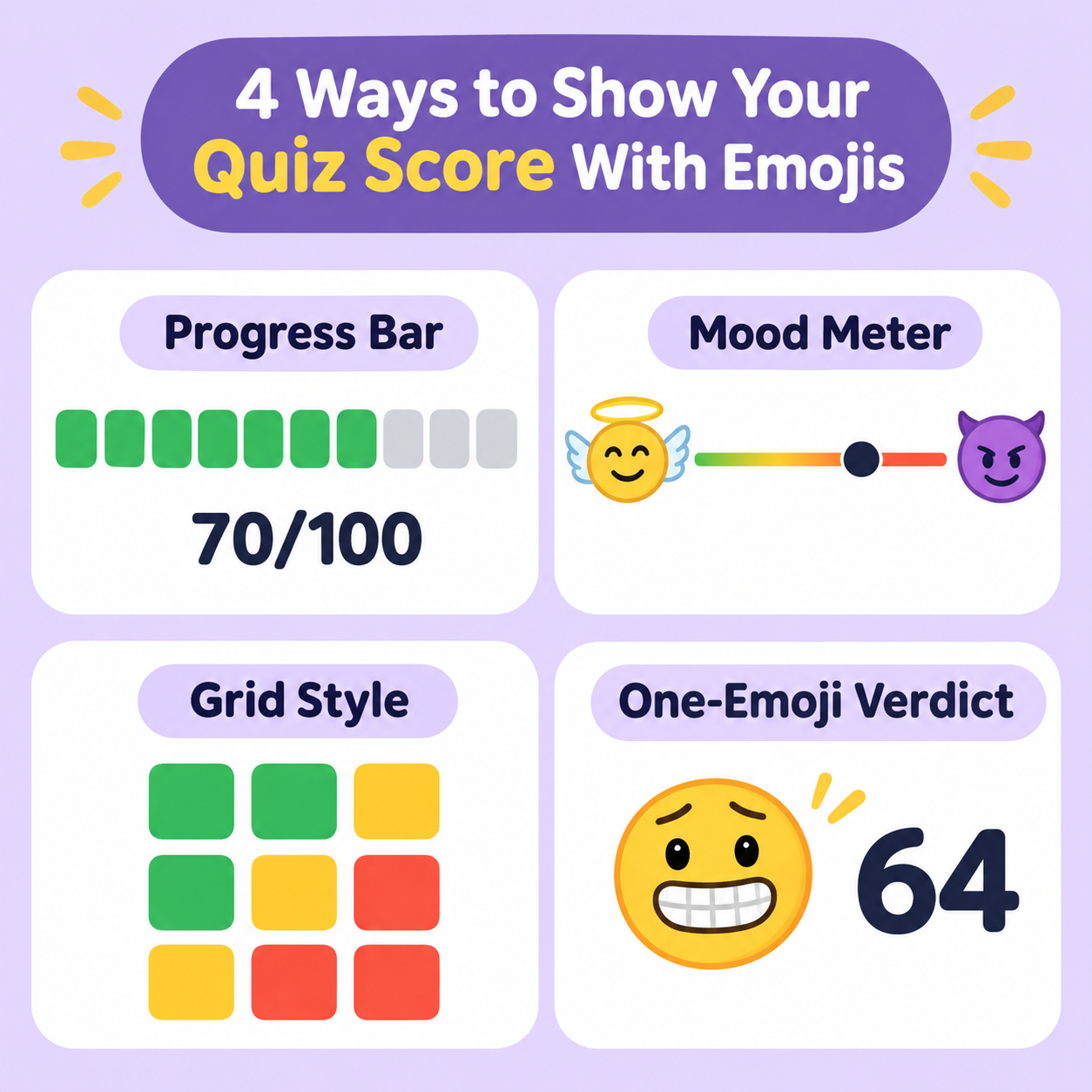
🟩🟩🟩🟩🟩🟩🟩⬜⬜⬜ 70/100
The mood meter. Pick two emojis that sit at opposite ends of your quiz and draw an arrow between them, for example 😇 → 😈. Then place your result somewhere along the line.
The Wordle-style grid. If your quiz has sections or rounds, give each one a colored square based on how you did. Friends can compare grids without reading a single word.
The one-emoji verdict. Skip the bar and sum up the result in one emoji and one number, like “😅 64”. Short, funny and very shareable.
You can find every symbol used above, plus thousands more, on a copy-and-paste emoji keyboard, so there is no need to hunt through your phone’s emoji picker.
Step 2: Pick the Right Reaction Emojis
The emoji you attach to a result sets the tone for the whole post. A quick cheat sheet:
- 😇 for a high score on a “how innocent are you” style quiz, or when you want to look wholesome
- 😳 for a result that surprised you
- 😅 for a result you are slightly embarrassed to admit
- 😈 for a result you are secretly proud of
- 🤯 for a score nobody in the group chat expected
- 💀 for the classic “I’m done” reaction when a friend’s score is wild
- 🏆 for winning the group comparison
Try not to stack more than three or four. A row of ten different faces looks chaotic and makes it harder for friends to tell how you actually feel about your score.
Step 3: Write a Caption That Gets Replies
The best quiz captions do two things: they share the result and invite a response. A few templates you can adapt:
- “Got 68 😳 beat me if you can”
- “Took the quiz so you don’t have to 😅 my score: 72”
- “Group chat, drop your scores 👇”
- “Not me getting a lower score than my roommate 💀”
- “Final score: 81/100 🏆 no notes”
Asking a question or challenging friends to beat you is the easiest way to turn a one-way post into a thread.
Step 4: Match the Emoji Style to the Community
The same quiz gets shared differently depending on where it lands. In a college group chat, short and punchy wins: a number and a single emoji. On Tumblr or X, people lean into long jokes and layered captions.
Fandom spaces have their own style too. Readers and writers on Archive of Our Own often take fandom-flavored quizzes like the AO3 purity test, then post results with emojis that reference their favorite tropes, ships and reading habits. Matching your emojis to your community makes the post feel native instead of generic.
Step 5: Keep Your Emoji Use Readable
A few finishing tips so your post lands well:
- Lead with the score. Put the number first, then the emoji, then the caption.
- Stick to one theme. Pick a mood and keep every emoji in that family.
- Check how it renders. Some symbols look different on iPhone, Android and desktop, so preview your post if the layout matters.
- Leave room for the reply. A shorter post invites a response, while a wall of symbols gets scrolled past.
Quick Copy-and-Paste Template
Here is a template you can use for almost any quiz:
Took the quiz and got [score]/100 [reaction emoji]
[progress bar]
Your turn 👇 [challenge emoji]
Swap in your own numbers and emojis, and you have a post ready in ten seconds.
Final Thoughts
Quizzes give people something to talk about, and emojis give them a way to say it quickly. Build a simple scorecard, choose reaction emojis that match your mood, write a caption that invites replies, and you will have a post that gets more than a like. Next time a new quiz starts spreading through your feed, you will know exactly how to share your result with style.